For MyVA Support admins: install the Sendl Indeed Intake extension in Chrome, pair it with Sendl, and collect Indeed resumes into Sendl.
Warning: resumes you download for a Junior Java/React posting are picked up within minutes by the live hiring process. Sendl AI-grades them and can e-mail the candidate, even though the page says Outreach disabled and No grading or invitations. Sent e-mails cannot be taken back.
Step 1, Open the Indeed intake page
The page is not in the Sendl menu. Bookmark https://dash.sendl.io/recruiting/indeed exactly, with nothing added to the end. You need the admin role in MyVA Support and Chrome 120 or later.

Step 2, Download and unzip the extension
- Click Download extension 0.1.15.
- Unzip it into a folder you will keep, for example in Documents. That folder is the installed extension, so do not delete or move it.
- Open Installation and update instructions if you need a reminder.
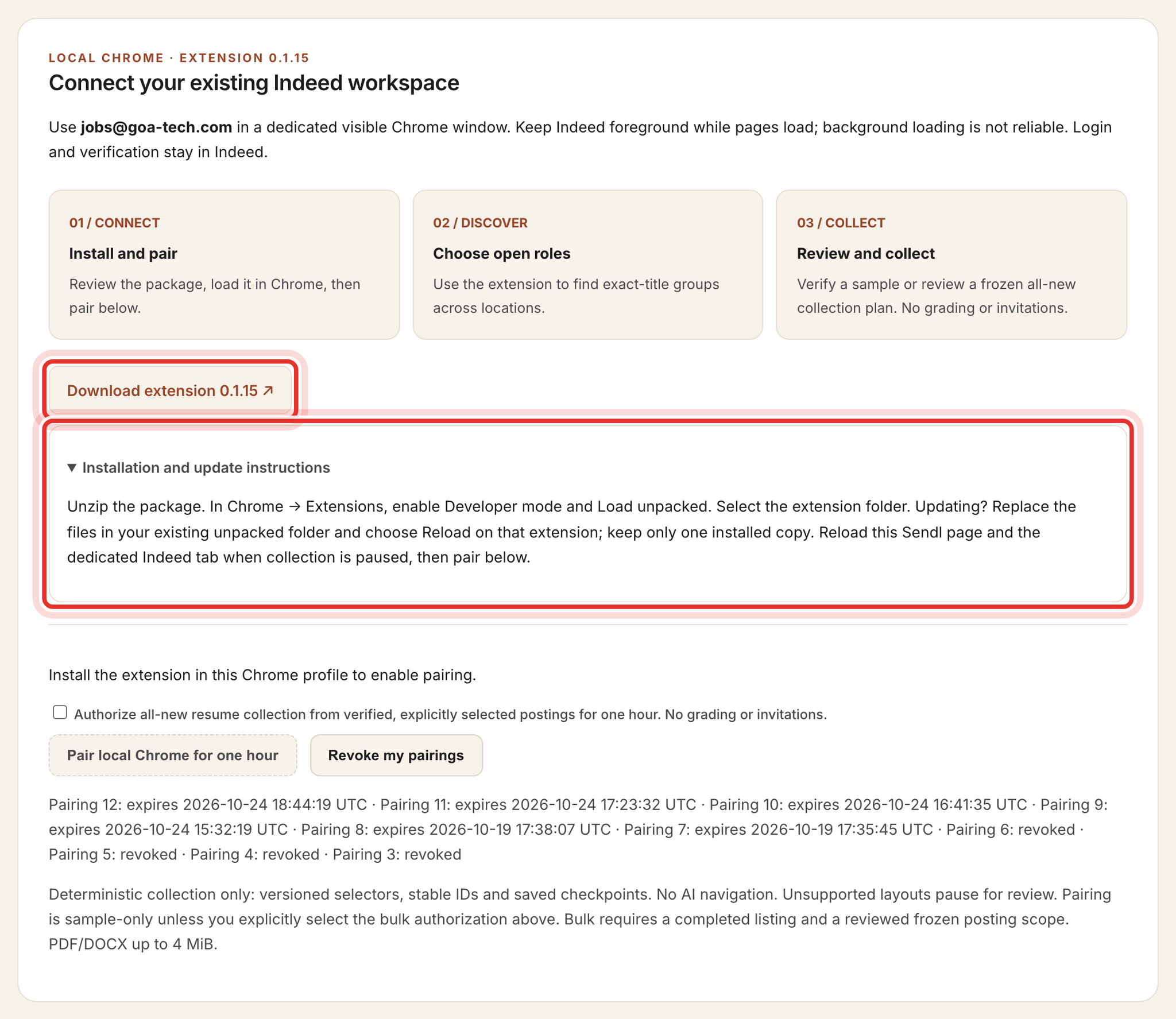
Step 3, Load it in Chrome
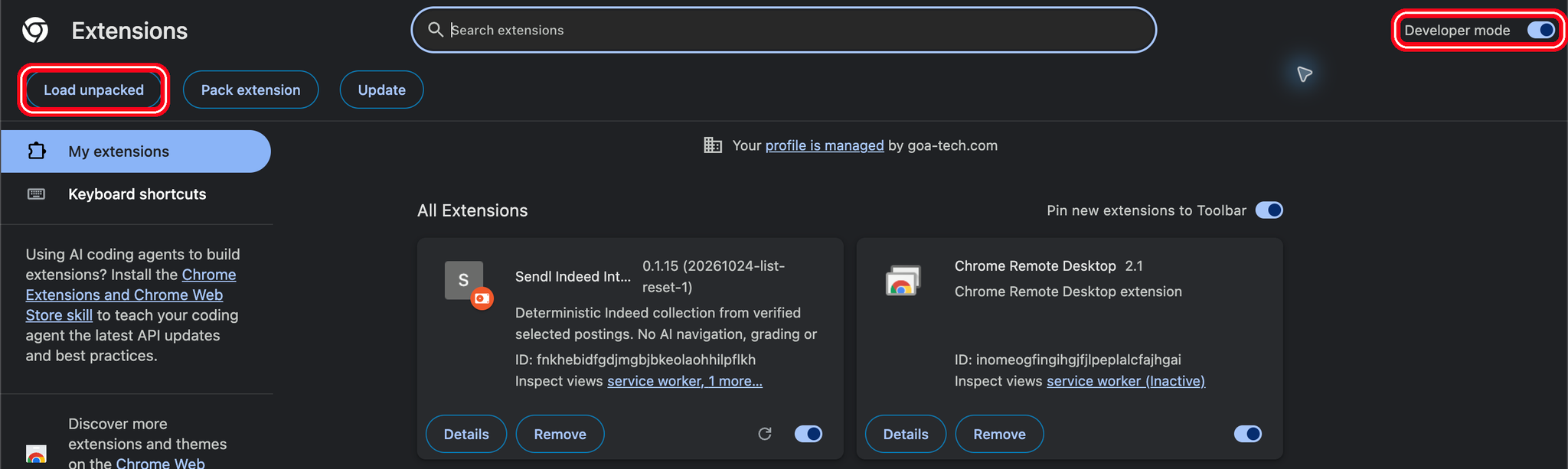
- Go to chrome://extensions and turn on Developer mode.
- Click Load unpacked and select the folder that contains manifest.json.
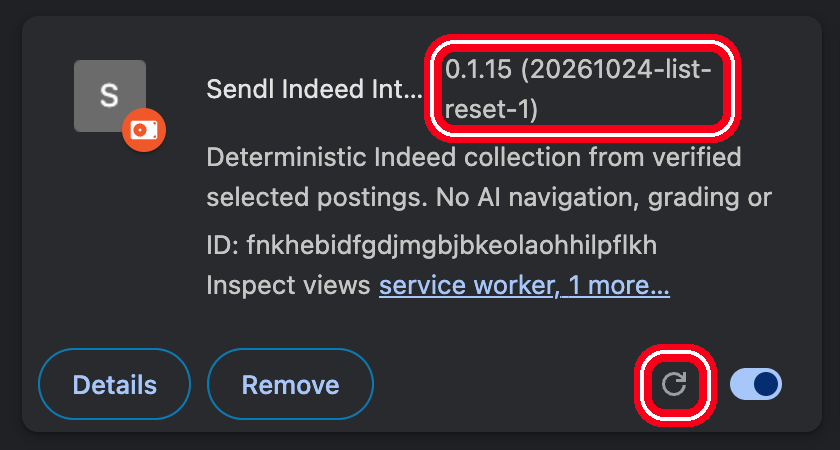
- Check the version on the Sendl Indeed Intake card. It must read 0.1.15. The extension's own header says 0.1.13; ignore that.
There are no automatic updates. For a new version, replace the files in the same folder while nothing is running, then click the reload icon on the card.
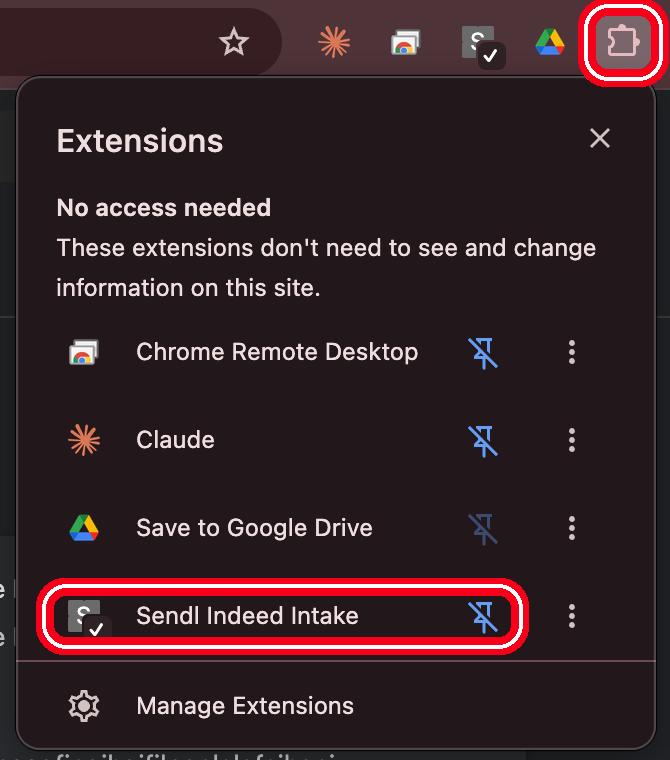
Step 4, Pin the extension
Click Chrome's puzzle-piece icon and pin Sendl Indeed Intake.
Step 5, Choose sample-only or bulk
Reload the Sendl page. The message changes to Local extension installed and the Pair button becomes clickable.
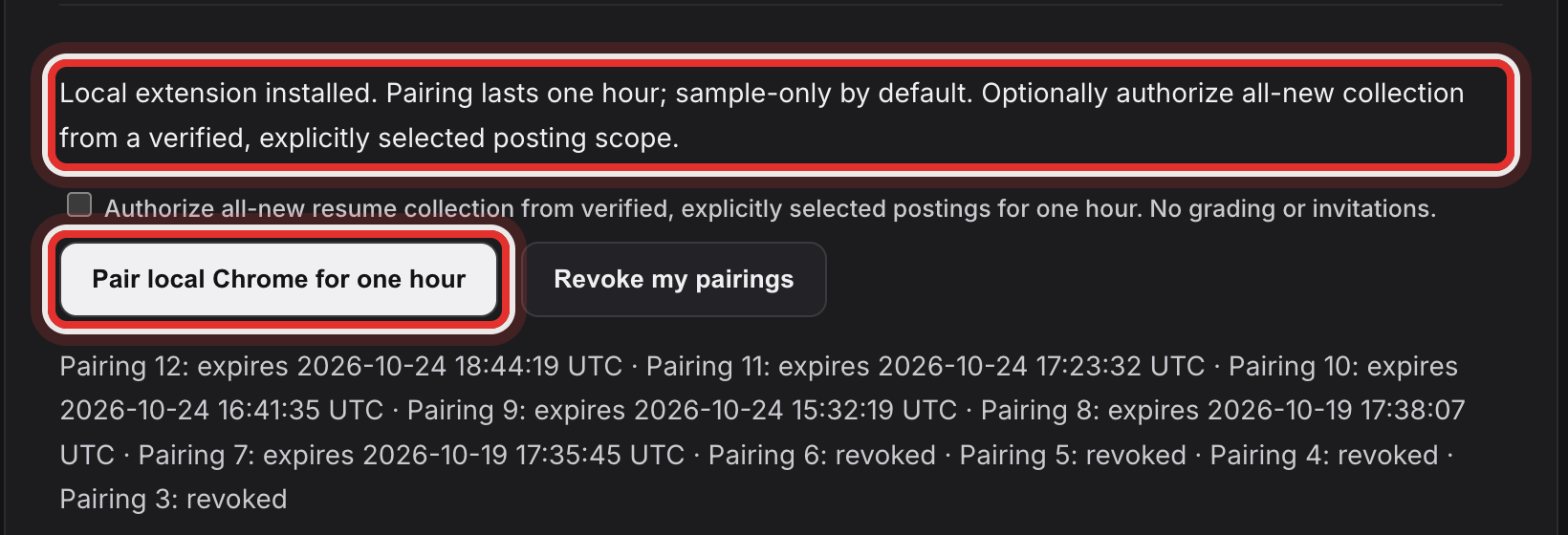
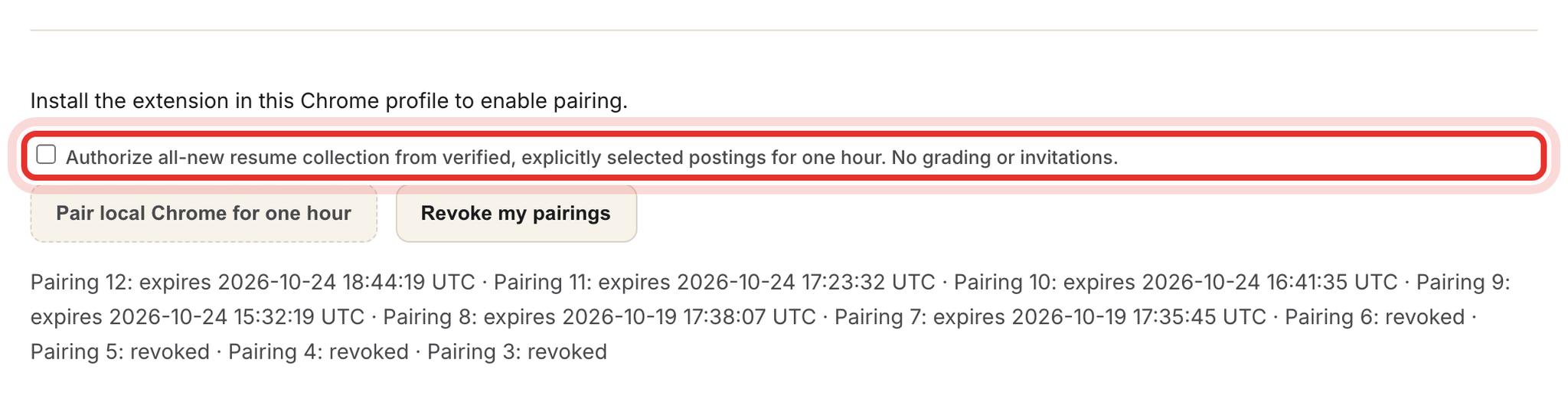
Leave the checkbox empty for a sample of up to 3 resumes. Tick it only when you will collect all new resumes from postings you select.
Step 6, Pair for one hour
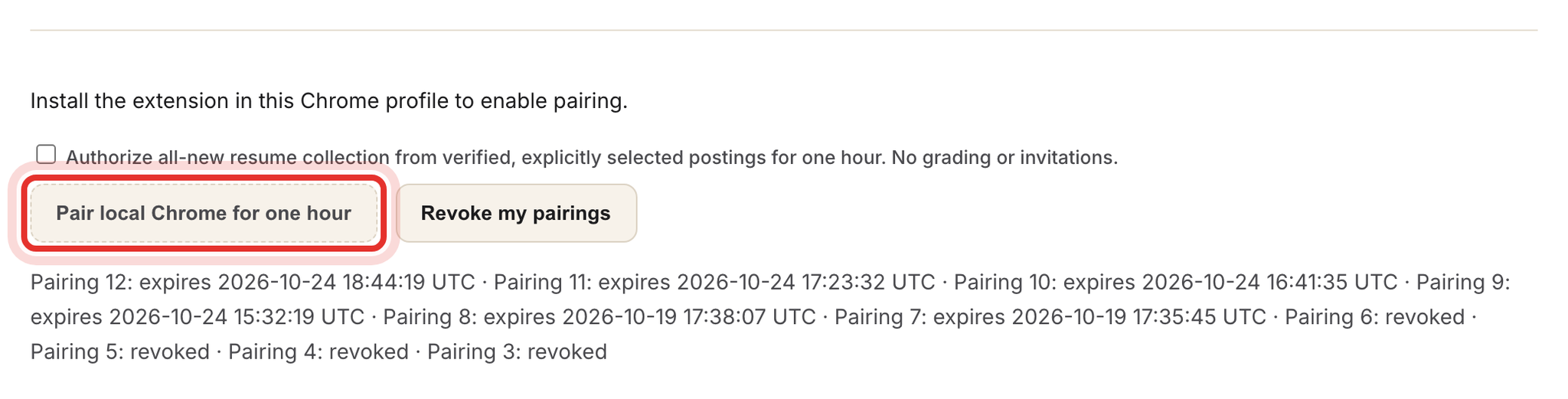
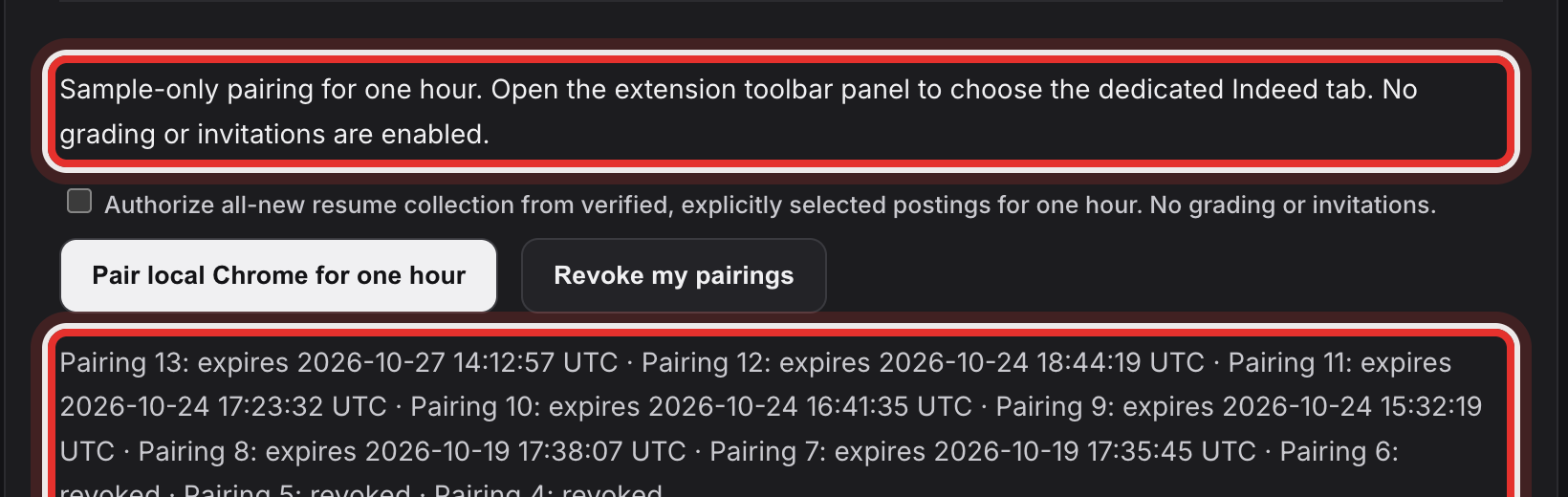
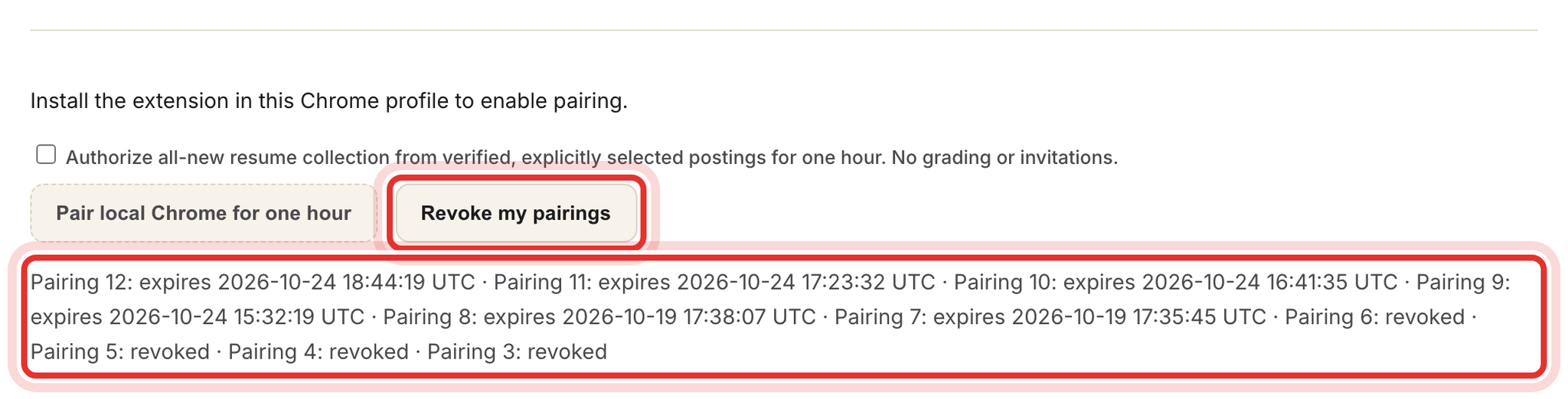
Click Pair local Chrome for one hour. A new Pairing N: expires line appears in the list below.
Step 7, Open Indeed in its own window
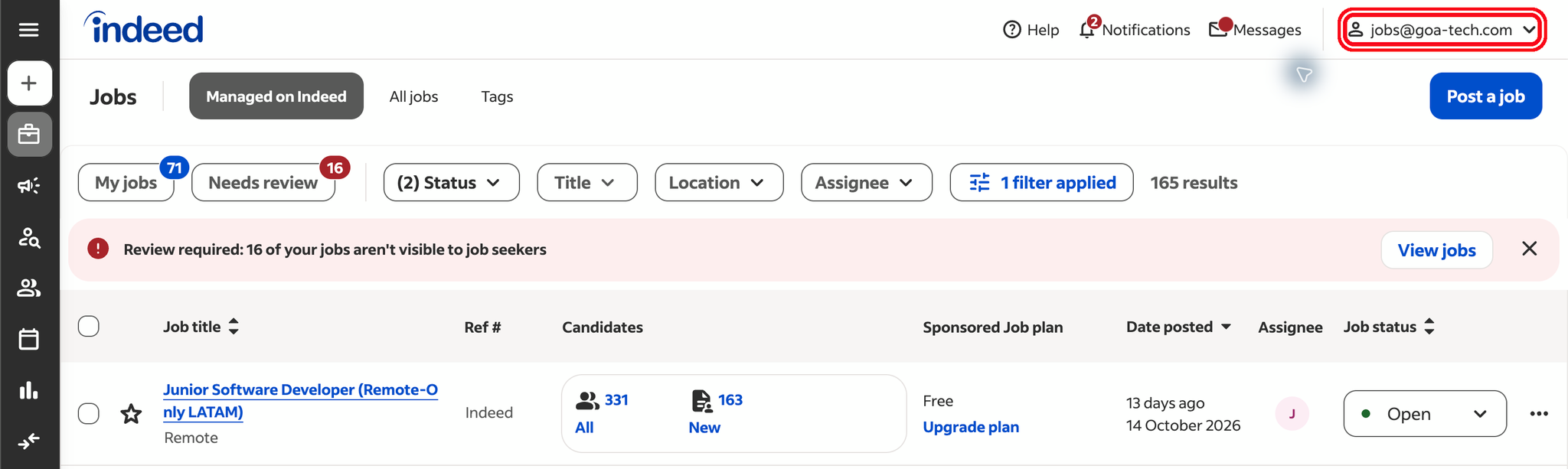
In the same Chrome profile, open employers.indeed.com in a separate window and sign in as jobs@goa-tech.com. Keep that window in front with its Indeed tab selected while pages load; in the background, loading stalls.
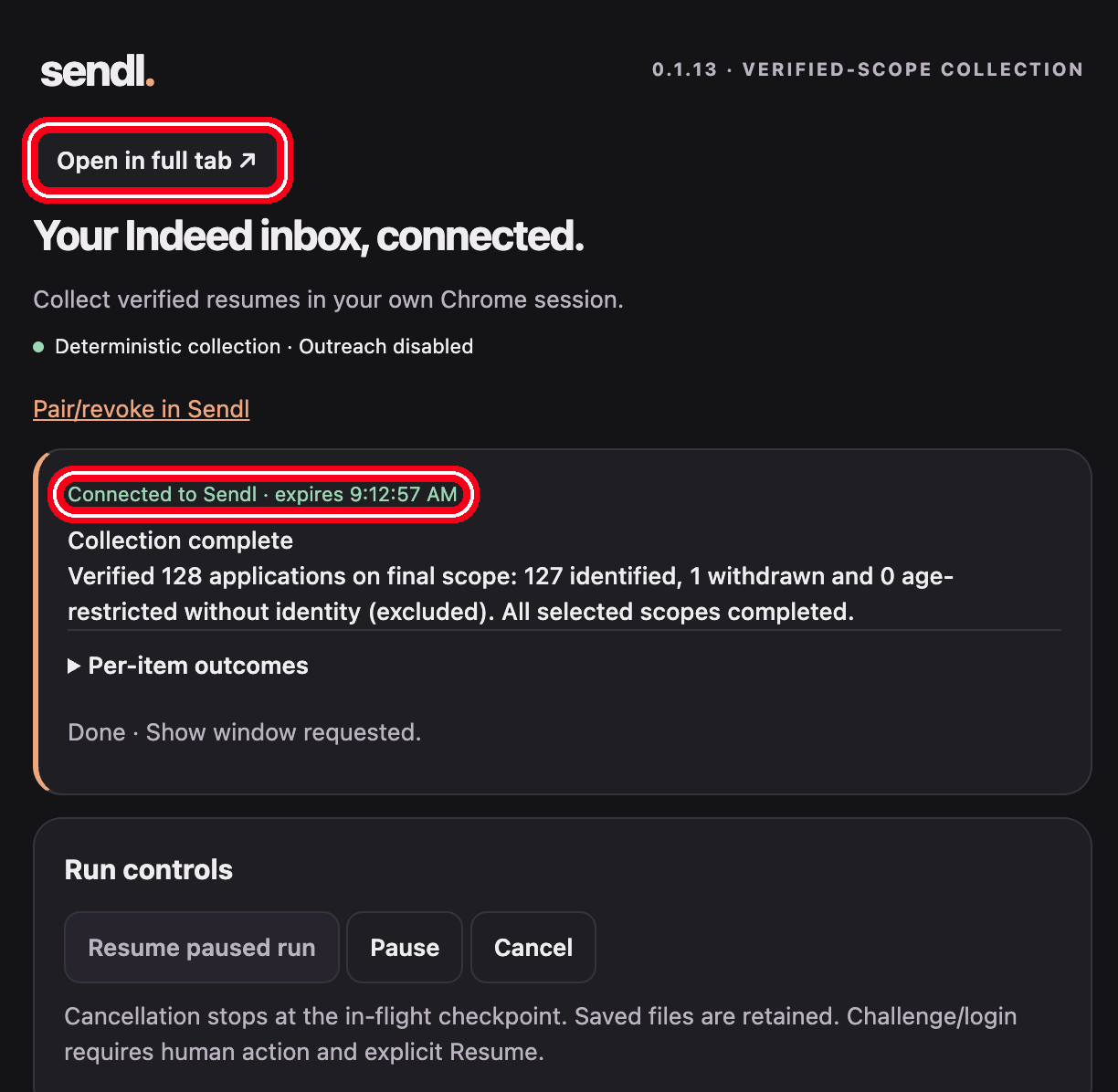
Then click the extension icon. The popup is titled Your Indeed inbox, connected. Check for Connected to Sendl · expires. Click Open in full tab if you want more room.
Step 8, Bind the Indeed tab
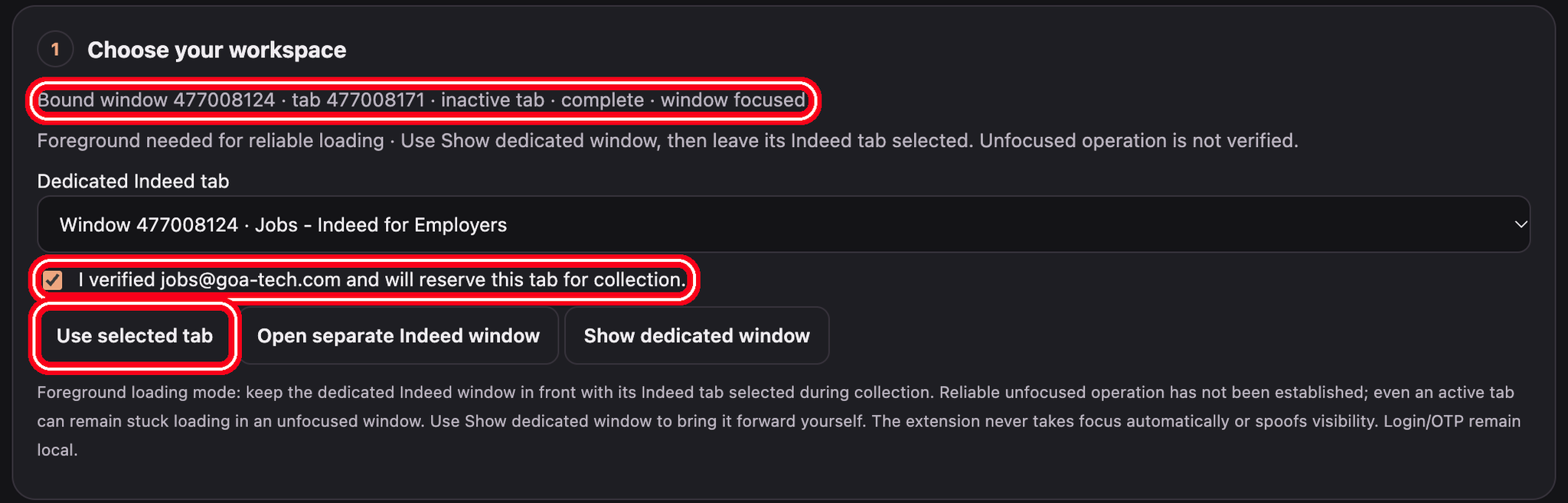
- In 1 Choose your workspace, pick the tab under Dedicated Indeed tab.
- Tick I verified jobs@goa-tech.com and will reserve this tab for collection.
- Click Use selected tab. Use Show dedicated window to bring it back to the front.
Step 9, Discover jobs and list candidates
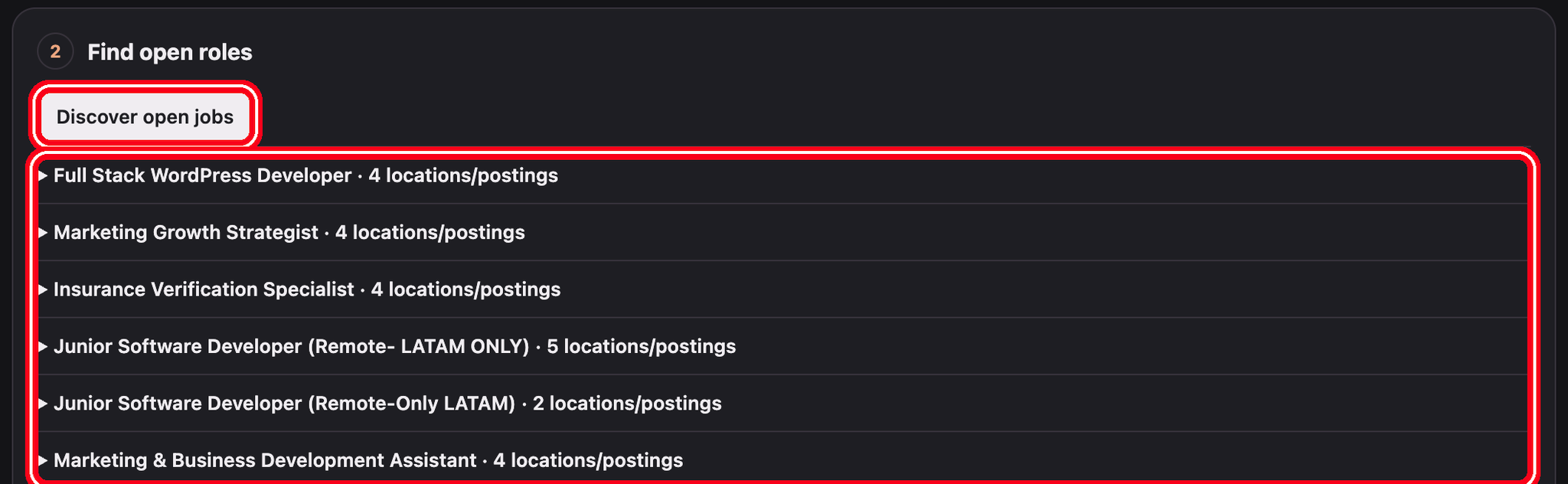
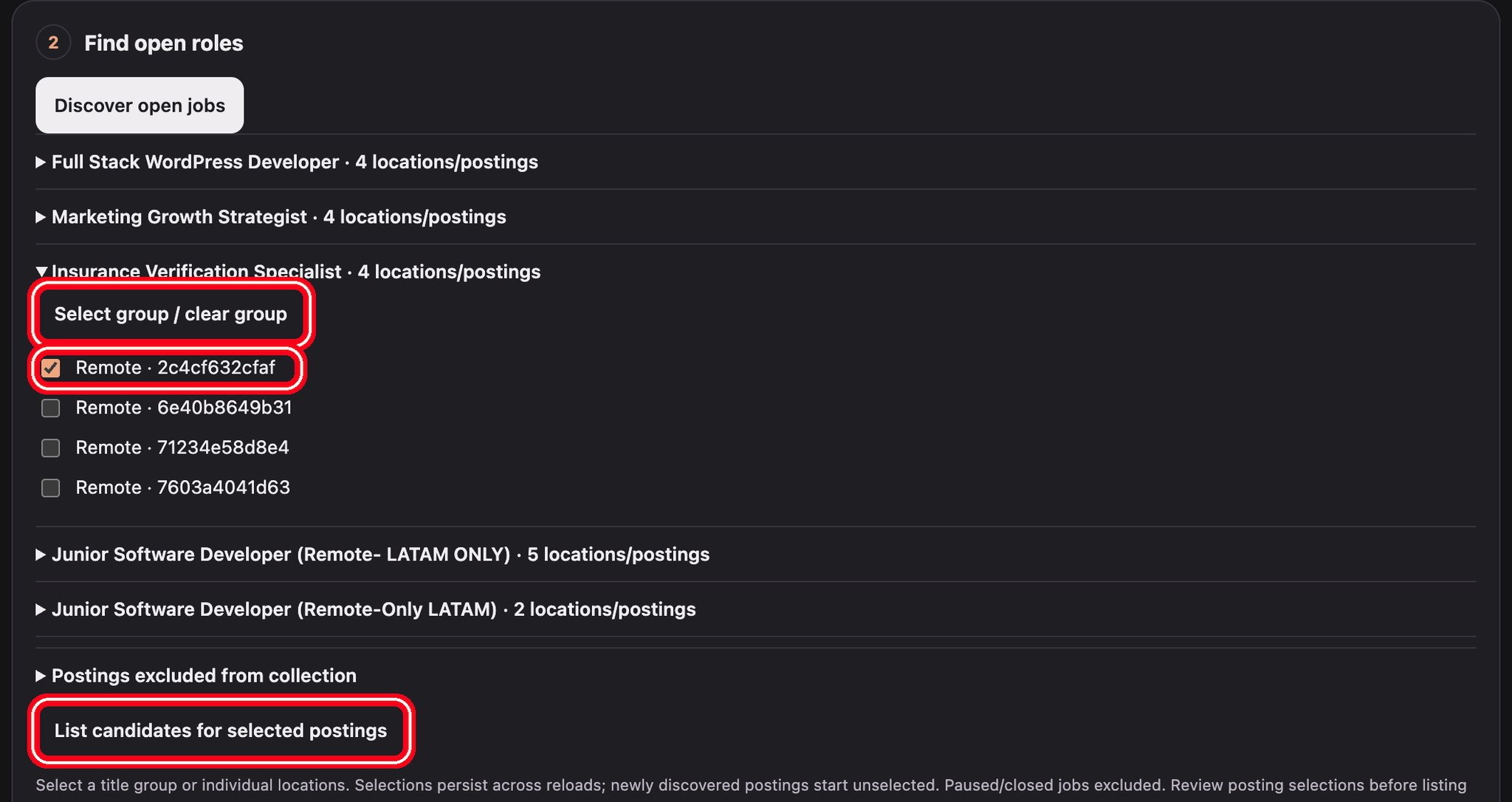
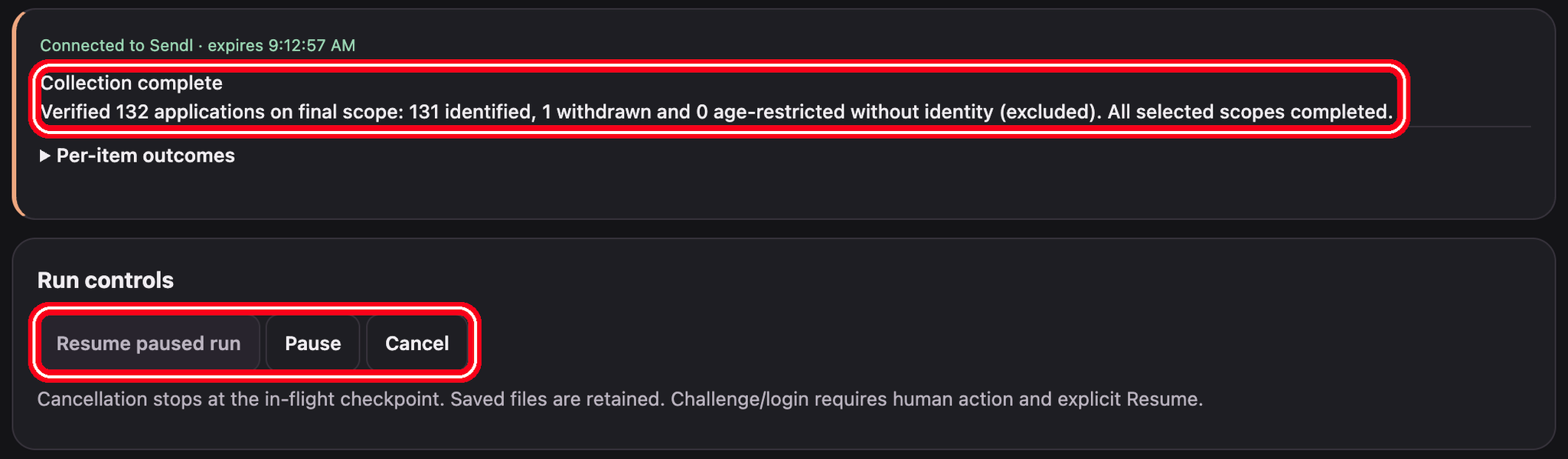
- In 2 Find open roles, click Discover open jobs and wait for Collection complete.
- Expand a title group and tick locations, or click Select group / clear group.
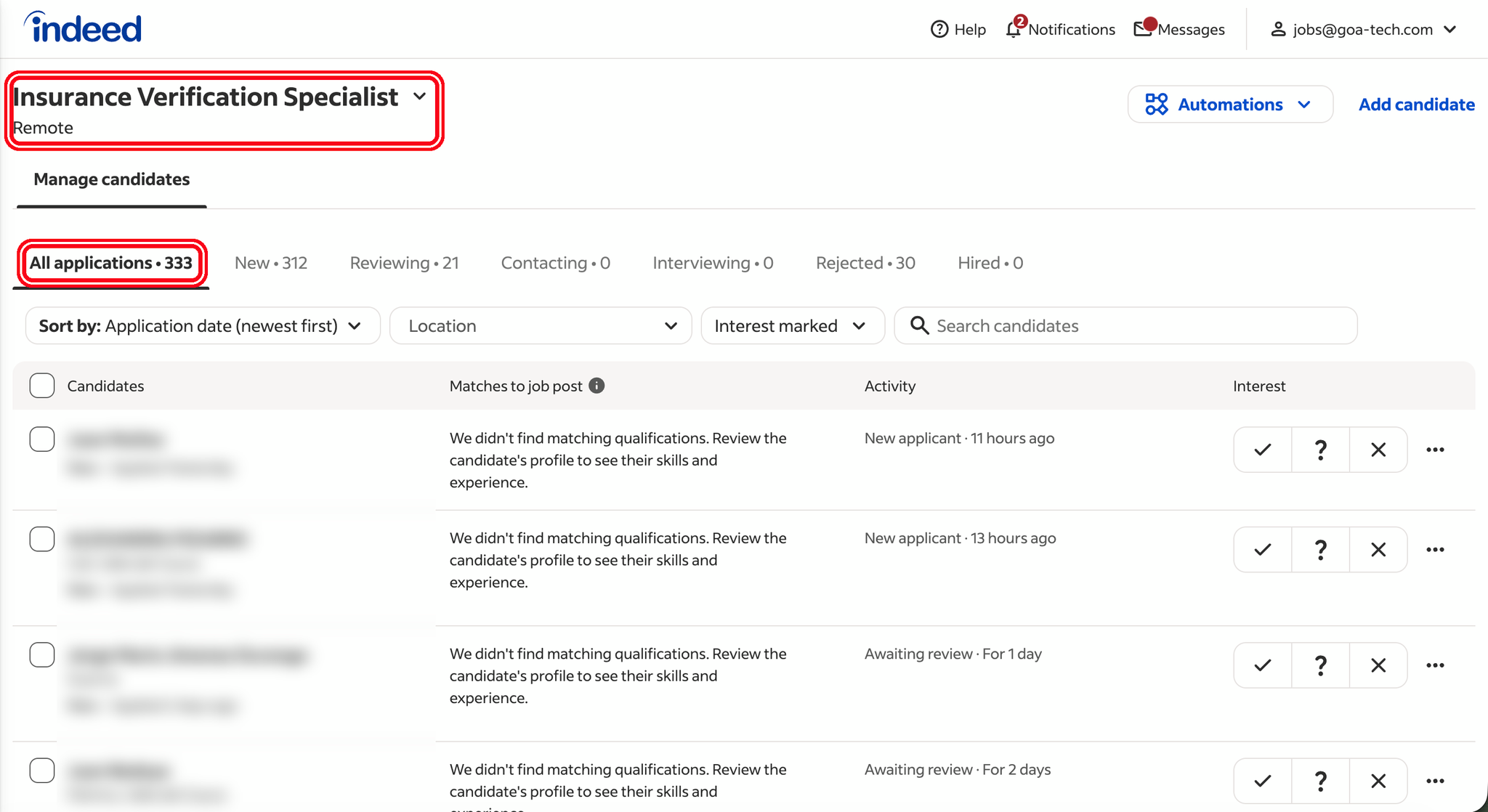
- Click List candidates for selected postings and wait for Verified N applications.
The extension then pages through each selected posting's candidate list in the Indeed tab. Leave that tab alone while it works.
Step 10, Download a few hand-picked resumes (up to 3)
Check the posting first. Junior Java/React downloads go into the live hiring process, which grades them and can e-mail candidates.
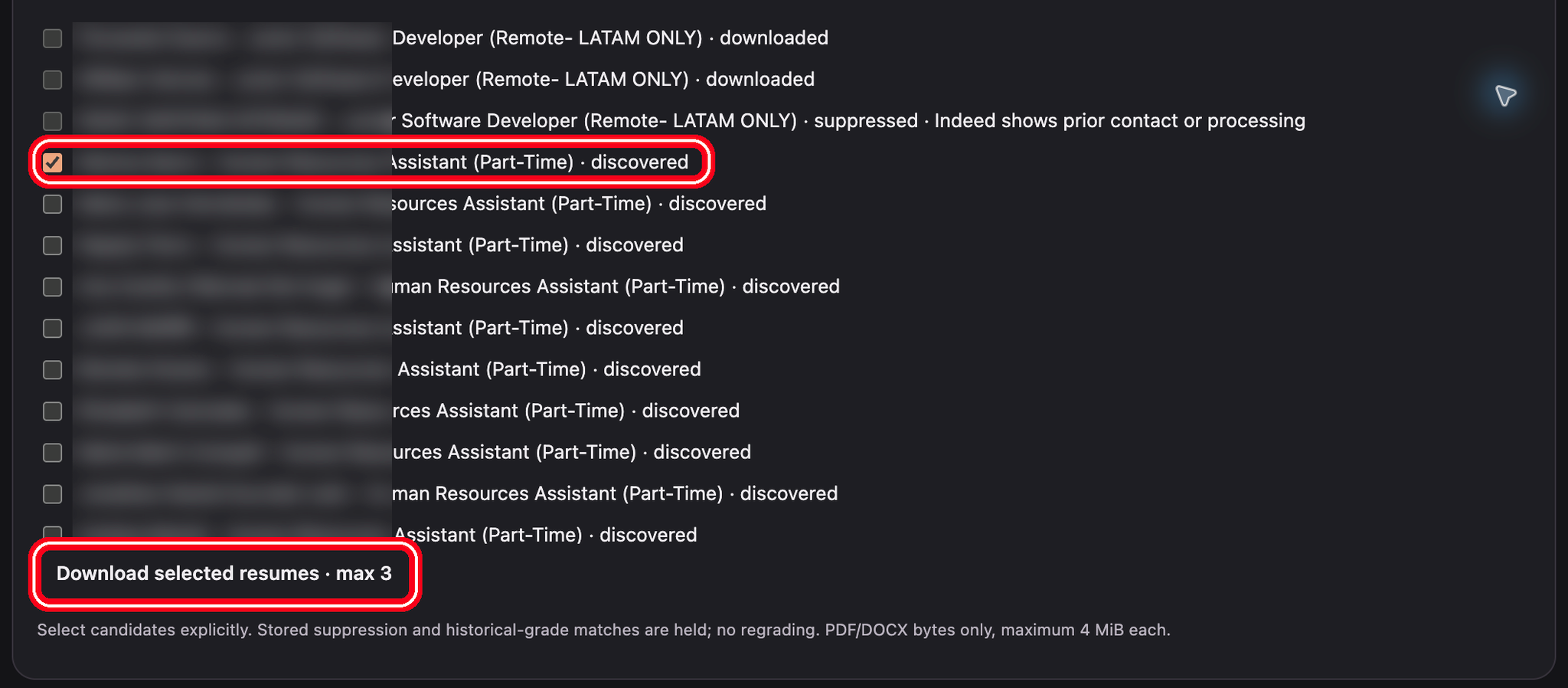
- In 3 Collect a small sample, tick 1 to 3 candidates.
- Click Download selected resumes · max 3.
The hand-picked download is limited to 3 by design. For more, use Step 11. Files go to Sendl, not your Downloads folder.
Step 11, Collect all new resumes in bulk
Check the posting first. The same Junior Java/React warning applies: every resume collected for that posting goes into the live hiring process.
- On the Sendl page, tick Authorize all-new resume collection from verified, explicitly selected postings for one hour before you click Pair local Chrome for one hour (see Steps 5 and 6). The box must be ticked; a sample-only pairing cannot run a bulk collection.
- Select postings and finish the candidate listing as in Step 9, until you see Verified N applications.
- Under Collect all new resumes, click Preview selected verified scope.
- Read the scope preview snapshot: how many applications are identified, already downloaded, held and excluded.
- Click Collect all eligible resumes in this frozen scope.
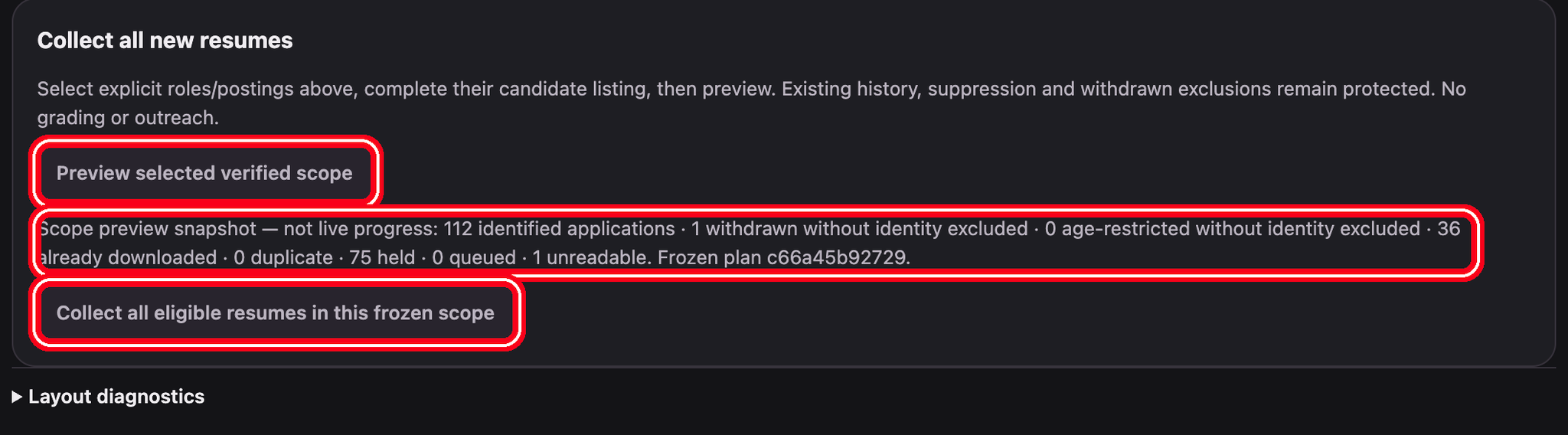
While it runs, progress tiles show how many resumes are Downloaded, Held and Remaining. When the one-hour pairing expires, the run pauses. Pair again on the Sendl page with the bulk box ticked, then click Resume paused run.
Files go to Sendl, not your Downloads folder. Candidates contacted before are held automatically.
Step 12, Pause and resume
Use Pause, Resume paused run or Cancel under Run controls. Nothing resumes on its own. Only one run can be active in the whole MyVA workspace, for all staff together, so agree with colleagues who collects when.
Step 13, Pair again after the hour
After one hour the run pauses with Pairing expired. Pair again on the Sendl page (tick the bulk box again for a bulk run), then click Resume paused run.
Step 14, Check the items in Sendl
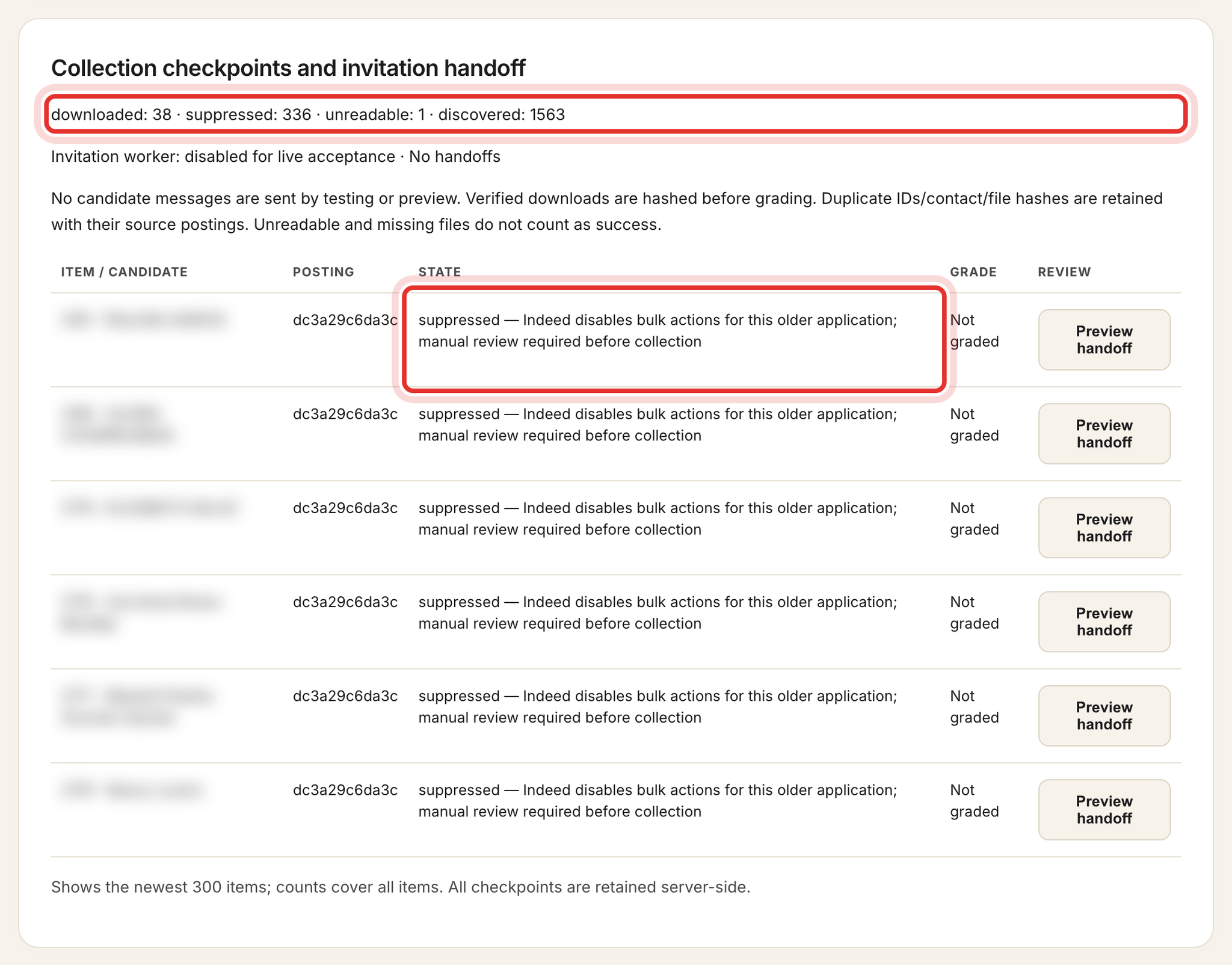
Under Collection checkpoints and invitation handoff, each item shows its state. Only downloaded counts as a usable resume.
Step 15, Revoke and remove
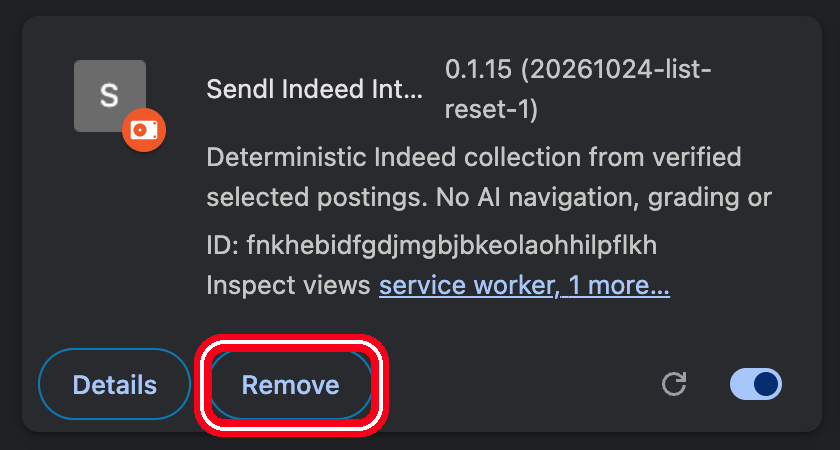
Click Revoke my pairings; your pairings then read revoked. The extension may still say Connected until the hour ends, but it can no longer do anything. To uninstall, click Remove on the card at chrome://extensions, then delete the folder.
Common problems
- Pair button greyed out: the extension is not loaded in this Chrome profile, or the address is not exactly /recruiting/indeed; fix it and reload.
- "Pairing denied. Check MyVA Support admin workspace and normal sign-in.": switch to MyVA Support, reload and try again.
- "Pairing expired": pair again (with the bulk box for bulk), then click Resume paused run.
- "Confirm the existing Indeed account is jobs@goa-tech.com": tick the checkbox and click Use selected tab again.
- "Human login/OTP/challenge required": finish the sign-in in the Indeed tab yourself, then Resume.
- "DOM_READINESS_TIMEOUT": click Show dedicated window, keep it in front, then Resume.
What success looks like
The resumes you chose show as downloaded in Sendl and your pairing is revoked. Next: Invite a candidate into the right hiring process, Track candidate progress and manage your review list and Get a new role's assessment and hiring process ready.