For hiring staff: how candidates move between Sendl and Zoho Recruit, what starts each move, and why someone might not come through.
Step 1, Know which way each move goes
- Sendl to Recruit (on): a candidate who passes a role's practical assessment in Sendl is added to Recruit for you.
- Recruit to Sendl (on since October 27, 2026): a candidate Andrea adds to Recruit by hand gets a Sendl interview invitation.
Step 2, Sendl to Recruit: let the candidate finish the assessment
You do not press anything. The move starts when the candidate submits the role's practical assessment and Sendl's AI grades it.
- Recommended or Needs review: the candidate is added to Recruit within a minute or two.
- Not recommended, or not graded yet: nothing is sent.
It runs for these roles only:
- Software Developer (Java, Spring and Mobile)
- HR & Operations Coordinator
- Digital Ads and Analytics Specialist
- Virtual Assistant - Medical
- Patient Outreach
Step 3, Find the candidate in Recruit
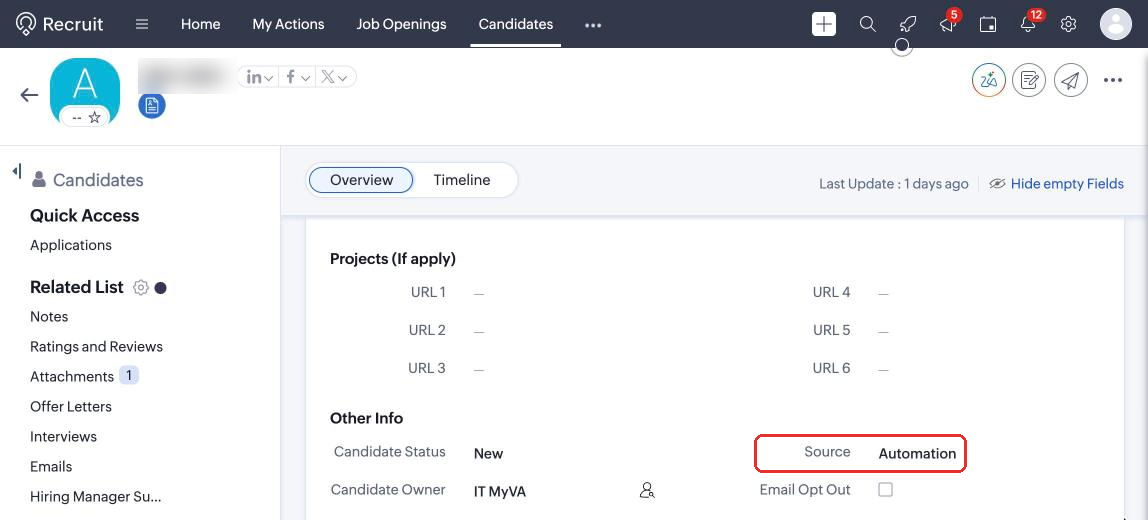
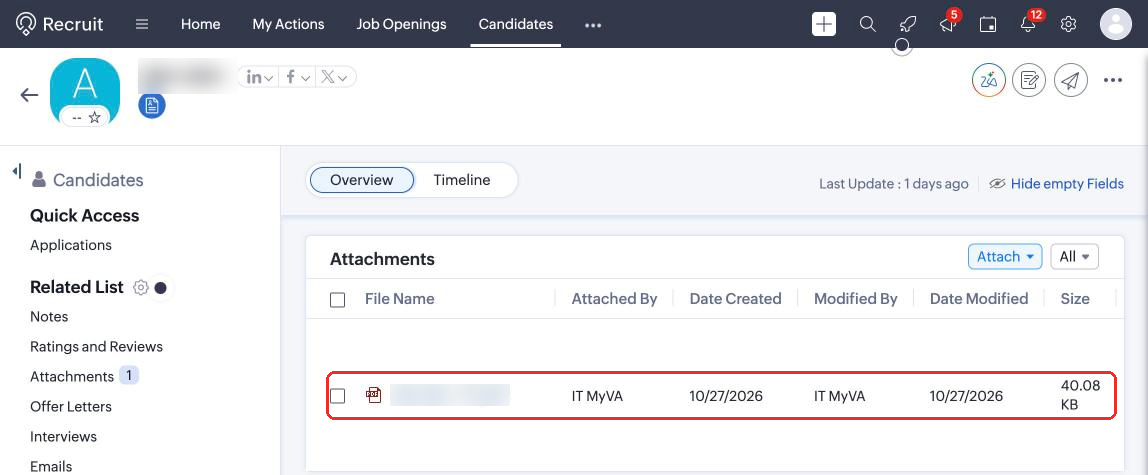
Open Candidates in Recruit and search by name or e-mail. Sendl fills in first name, last name, e-mail, phone, and Source "Automation", and attaches the CV from their application under Attachments as the résumé. Their Sendl scores and answers stay in Sendl; open the candidate there to review them (see Review results and share a candidate with the team).
Step 4, Recruit to Sendl: add the candidate by hand
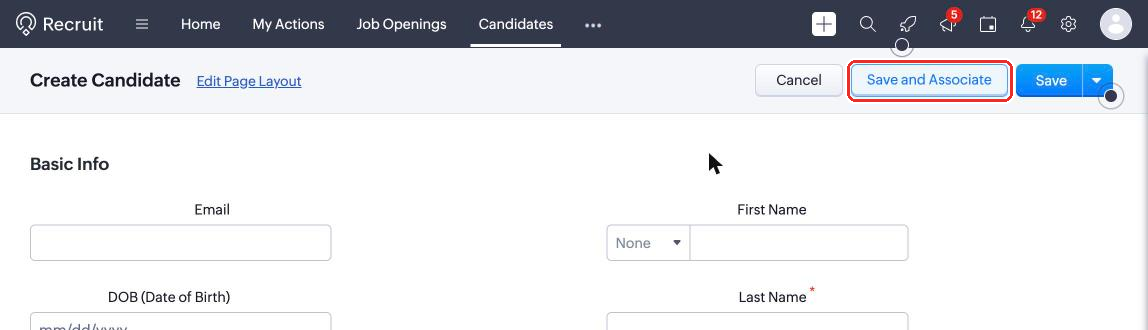
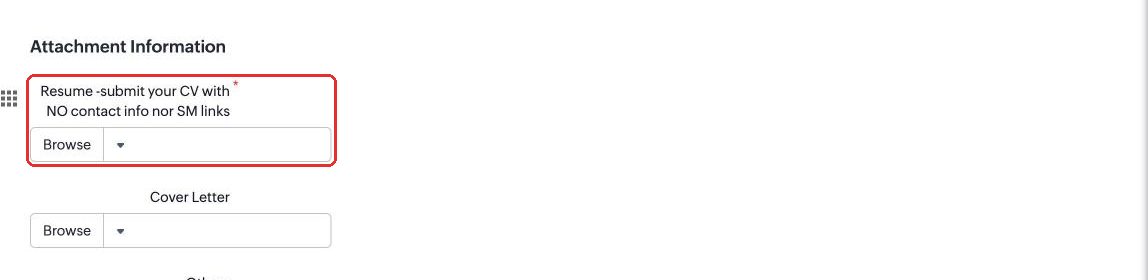
In Recruit, click +, then Candidate. Fill in the e-mail and name, attach the PDF under Resume -submit your CV with NO contact info nor SM links, and click Save and Associate to put them on the job opening.
The candidate is picked up only when all of these are true:
- Andrea added them by hand in Recruit (Origin "Sourced"). People who applied through the careers page are left out.
- They are on one of these job openings: HR and Operations Coordinator (LATAM only), Virtual Assistant - Medical (LATAM only) or Digital Marketing Specialist (LATAM only).
- The application status is still Applied or Associated. Move them on in Recruit before the next run and they are left alone.
- The candidate has an e-mail address and a PDF résumé of 10 MB or less attached.
- They were added after October 27, 2026. Older candidates are never picked up.
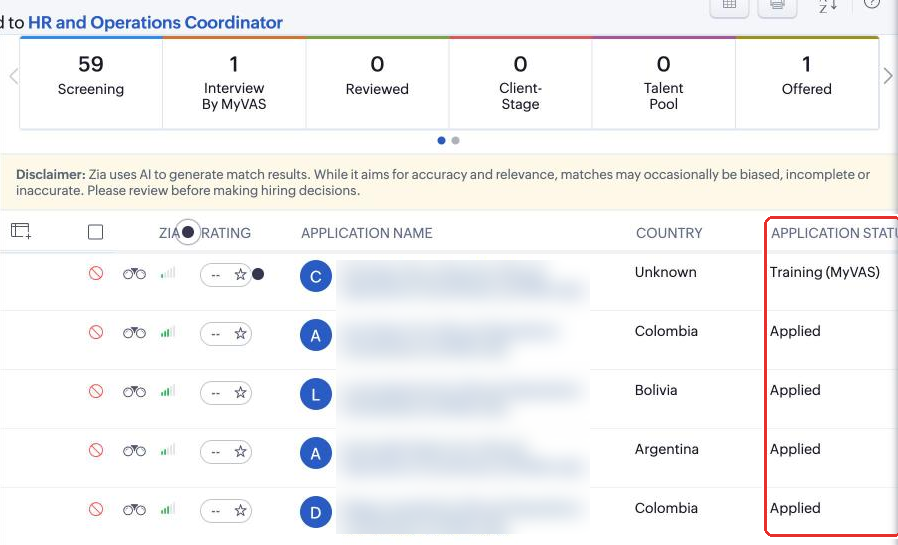
Recruit is checked once an hour, from 10:07 to 18:07 Bogota time, so allow up to an hour. Sendl then reads the résumé, starts that role's interview and e-mails the candidate an invitation. Track them in Sendl like any other candidate (see Track candidate progress and manage your review list).
Forgot the résumé or e-mail? Add it within two days; every run tries again until then.
Step 5, Know how duplicates are stopped
- Each Recruit application is handled once, however many runs see it.
- Anyone who already has an interview, an assessment or an application for that role in Sendl is skipped, so nobody gets a second invitation.
- Anyone who opted out of Sendl e-mails is skipped.
- Candidates who came from Sendl are never sent back to Sendl.
- Recruit refuses a second record with the same e-mail, so Sendl never creates a duplicate candidate in Recruit.
Common problems
- A candidate passed in Sendl but is not in Recruit: they were probably already in Recruit under the same e-mail. Recruit keeps the existing record and does not add the Sendl results to it; review them in Sendl.
- A candidate is in Recruit without a résumé: they had no CV on their Sendl application, or the upload failed. Send Christian the candidate's name.
- A candidate added in Recruit got no invitation: check the five conditions in Step 4. The most common causes are a career-site applicant, a status already changed, or no PDF attached.
- The role is not listed: it is not connected yet. Follow the last step of Get a new role's assessment and hiring process ready.
What success looks like
Candidates who pass a Sendl assessment show up in Recruit with their résumé attached, and candidates Andrea adds in Recruit receive their Sendl interview invitation within the hour. To set up a new role, see Get a new role's assessment and hiring process ready.